Containers
How to add a game Part 5 (Containers)
Servers run in pods/containers, there are multiple container types per game depending on the needs.
Containers
There are three types of containers: Main game server, init container and a sidecar. Each container must be have its Basic Info defined, that is to say, they must be named, described and given a type and an image. Once the Basic Info is set on the containers, Environment Variables, Volume Mounts and Ports can be defined.
Container Types
Main Gamer container: Primary application container, it has the game in it and the main process.
Init Container: Runs the initialization process, it runs before the main container.
Sidecar: Runs alongside the main container.
Container images
Each container must have an image selected so it can run an OS inside with the pre-installed system components, and requirements for expected tools. Images get updated and pushed to containers on each container creation; there are available images:
PingCore Windows Base 2025 Server Full: This is a full Windows server image with all necessary system components, runtimes and frameworks. Full Windows means more demanding requirements and base memory consumption on idle.
PingCore Windows base 2025 Server Core: A stripped down, light-weight Windows server image with minimal system components and requirements. Good middle-point between full Windows and Linux.
PingCore Ubuntu Base 24.x: Linux variant with the latest Ubuntu (Public) release. Most efficient.
You can also run your own image. It has to carry the PingCore supervisor, because the platform pins the main container's command to it and ignores the image's own entrypoint. Start from the images described in Supervisor Base Images.
Resource Allocation
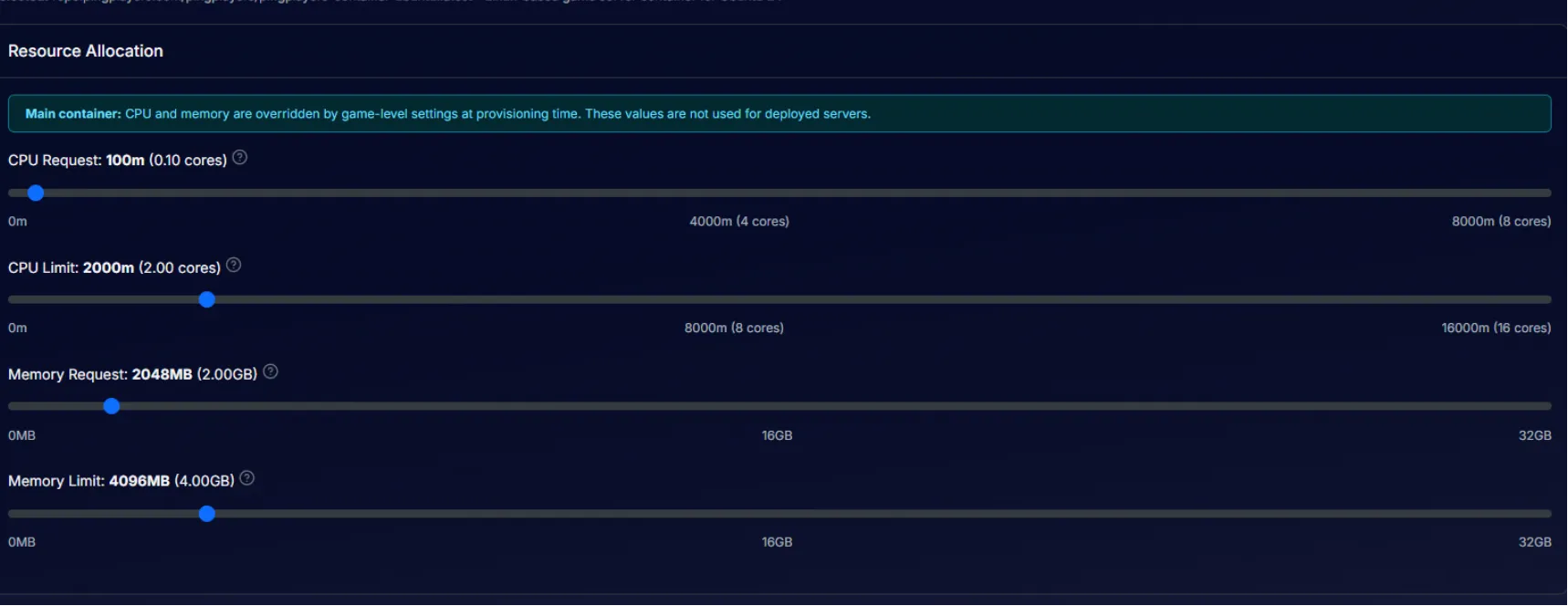
Only Main container can have its resources modified. CPU and memory are overridden by game-level settings at provisioning time. These values are not used for deployed servers. There are 4 sliders that can be adjusted, 2 for CPU and 2 for RAM (Request and Limit for each).
Working Directory
Optionally, there's a working directory that can be set to determine and specify the directory for the container. Eg. C:\\Users\\Administrator or /app.
Environment Variables
Defined container variables, these variables are applicable within a container. Most useful for replacing a widely used variable without a static value. Eg. $LOCATION. Env variables must be named in uppercase and must have a set value.
Volume Mounts
Mounted volumes are PVCs or Ephemeral volumes that are attached to container PVCs. These volumes will be mounted onto deployed servers and read/write access can be enabled or disabled.
Port Requirements
Each container must have a set amount of ports available for mapping template fields. The ports are mapped at the deployment level. Each port requires a port name, a protocol (TCP/UDP/TCP+UDP) and a range of consecutive ports (if any). There's a toggle for marking ports as RCON ports for multi-purpose ports.
A new Game Port (game-port) defaults to TCP + UDP, because most game engines use UDP. Every other port defaults to TCP. The same defaults apply over the API when you add a port without a protocol. Existing ports keep the protocol they have.
When a game port is set to TCP alone, a warning appears on the container's Ports tab and on the deployment spec's Port Mapping card: players connecting over UDP time out, even though the server boots and lists normally. Choose TCP + UDP unless your game uses TCP only.
Note that these are abstract port requirements. Actual port-to-field mappings will be configured at the Deployment Spec level, allowing this container to be reused across different template sets as discussed in the templates article.