Manage Servers Your Way
A full-featured control panel for every game server. Dashboard, console, file manager, settings, mods, and more. All from your browser.
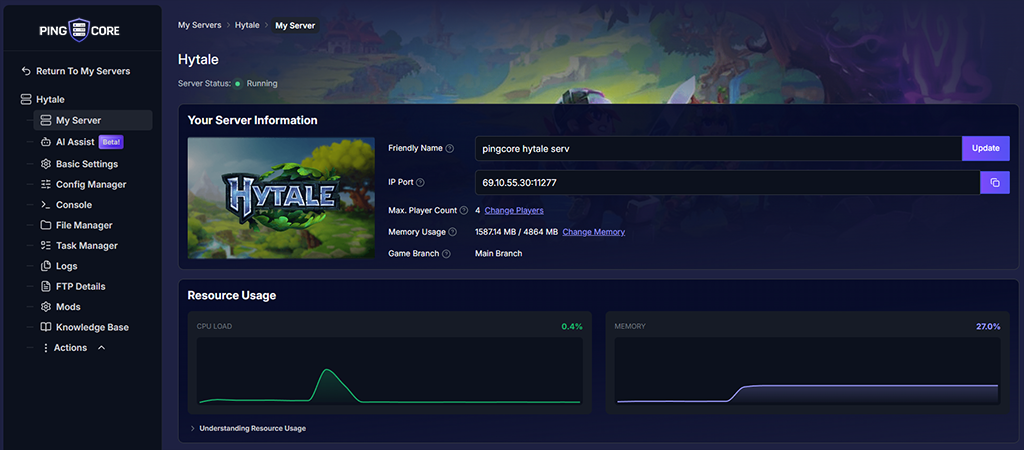
Server Dashboard
Everything about your server at a glance. Game artwork, connection address, player count, memory allocation, branch info, and real-time CPU and memory graphs.
- Real-time resource usage graphs
- One-click IP:Port copy
- Adjust players and memory on the fly
- Branch and game version info
Everything in One Sidebar
Every tool a server admin needs is a click away. No switching between apps, no SSH sessions, no separate FTP clients.
The panel is the same whether you're managing your own servers or your end customers are managing theirs through a white-label deployment. Every feature, every game.
Your Brand. Same Panel.
Hosting providers can white-label this entire panel for their customers. Your domain, your branding, powered by PingCore infrastructure underneath.
See It for Yourself
Register your interest and we'll get you set up with access to the full platform.